 Inverters & Batteries ship FREE
 Ask about rewards for referring friends and family
 U.S. Based Support
 Want to Add a battery?
solar inverters
How to Size a Solar Battery System for Backup (2026)
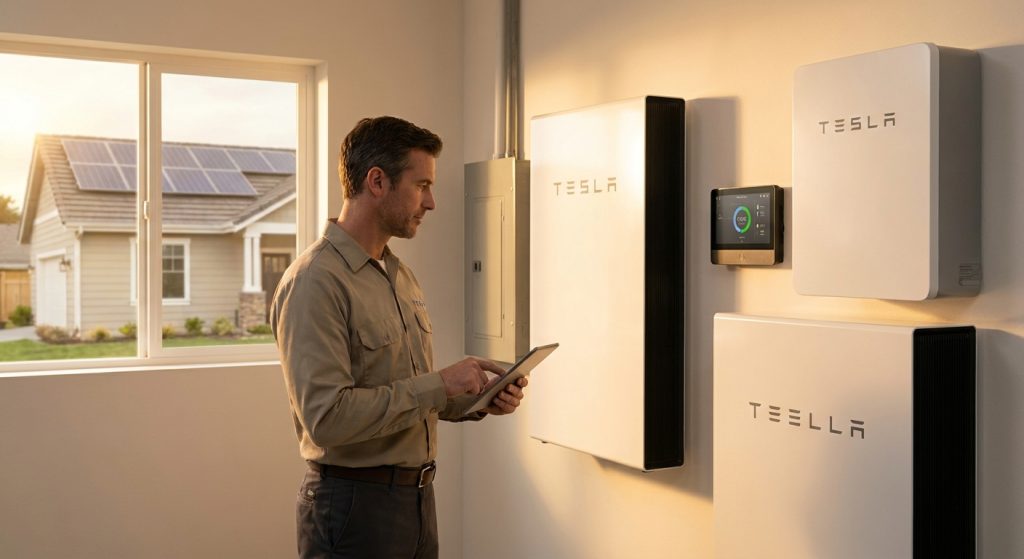
Sizing a whole-home battery backup system wrong in either direction costs you: too small and your HVAC drops out during a July heat wave, too large and you paid for capacity sitting idle. Sizing a solar battery system for whole-home backup means calculating your actual load in kW, deciding how many hours or days of autonomy you need, and matching that to usable kWh capacity from a real battery model. A typical 2,000-2,500 sq ft home with central AC needs 20-30 kWh of usable storage and 10-15 kW of continuous output to run everything at once. The FranklinWH aPower and Tesla Powerwall 3 both hit that range in a single or dual-unit stack, while a single Enphase IQ Battery unit fits smaller, load-shedding setups better than full whole-home coverage. Don't buy battery capacity based on a sales rep's guess — run the load calculation first, then pick hardware. Sun Supply PV stocks the battery models referenced here at distributor pricing, and batteries ship free in 2026.
Why this matters
Most homeowners and even some installers size battery backup off a rule of thumb — "one Powerwall covers a house." That works for a 1,400 sq ft home with a gas furnace and no AC. It does not work for a home running a 5-ton heat pump, an electric range, and an EV charger off the same panel.
Undersizing means the battery hits its power ceiling and the inverter trips offline mid-outage — the worst possible failure mode, because you find out during the emergency, not before. Oversizing means paying for kWh you'll never discharge, which matters more in 2026 as battery prices have compressed and installers are pricing jobs tighter than they did two years ago. Getting the math right up front avoids both problems.
What You'll Need
- A recent electric bill or 12 months of kWh usage history
- Your home's electrical panel amperage rating (100A, 150A, or 200A)
- A list of critical loads: HVAC, well pump, refrigerator, sump pump, EV charger if present
- A tape measure or floor plan for square footage (rough load estimate cross-check)
- Manufacturer spec sheets for the battery models you're considering — FranklinWH's whole-home backup setup, an Enphase battery model built for home backup, or a Tesla Powerwall for homes with EV chargers
- A licensed electrician or installer if you're not comfortable reading a panel schedule
The Steps
1. Calculate your continuous load in kW
List every circuit you want powered during an outage and add up the running wattage, not the startup wattage. A 5-ton heat pump might draw 4-5 kW running continuously. A refrigerator draws 150-400W. Add lighting, a well pump, and a sump pump and a typical whole-home load lands between 8 kW and 15 kW continuous.
Common mistake: people size off panel amperage (a 200A panel implies 48 kW at 240V) instead of actual simultaneous draw, which is almost always a fraction of panel capacity. You're not running every circuit at once.
2. Add surge and starting wattage
Motors — AC compressors, well pumps, garage door openers — draw 2-3x their running wattage for a second or two on startup. A battery inverter with a 5 kW continuous rating but only a 6 kW surge rating will brown out or trip when your AC compressor kicks on.
Check each battery's surge rating separately from its continuous rating. This number, not the marketing headline kWh figure, is what determines whether your HVAC starts reliably on battery power.
Common mistake: assuming continuous rating and surge rating are the same number. They're rarely close, and undersized surge capacity is the number one cause of "battery trips off during outage" service calls.
3. Decide your backup duration goal
Do you need 8 hours to ride out an evening outage, or 3 days for a multi-day grid event? This decision multiplies your kW load by your target hours to get total usable kWh.
A 10 kW continuous load for 24 hours of full-home coverage needs roughly 24-30 kWh of usable storage, accounting for battery efficiency losses (typically 90-95% round-trip). For 72 hours at reduced load — dropping AC to cycle mode — the math changes substantially.
Common mistake: sizing for 100% of normal usage across multiple days instead of planning a reduced "outage mode" load profile, which cuts required capacity nearly in half.
4. Match capacity to real battery models, not round numbers
Once you know your target kWh and kW, compare it against actual usable capacity per unit — not nameplate capacity, which includes reserve the battery won't discharge. A Tesla Powerwall 3 at wholesale pricing delivers a specific usable kWh and continuous/peak kW rating per unit; stack two units if your load calculation from Step 1 exceeds a single unit's output.
FranklinWH's aPower and Enphase's IQ Battery units use a modular approach — you add units to hit a target kWh rather than buying one oversized unit. This matters for phased installs where budget in 2026 doesn't allow full coverage on day one.
Common mistake: rounding up to "the next model size" without checking whether that model's continuous kW output actually covers your Step 1 number.
5. Factor in solar recharge rate for extended outages
If the outage runs longer than your battery's stored hours, solar production recharges the battery during daylight. Match your solar array's kW output against your battery's charge rate — a battery that can accept 5 kW of charging is wasted behind a 3 kW array during a multi-day outage.
This is where system design and battery sizing intersect: undersized solar behind an oversized battery means the battery never fully recharges before the next night's discharge cycle.
Common mistake: sizing the battery in isolation from the solar array's actual production capacity, especially in winter months with shorter daylight and lower panel output.
6. Account for EV charging separately
An EV charger pulls 7-11 kW on a standard Level 2 circuit — often more than the rest of the house combined. Decide up front whether EV charging is part of your backup plan or gets shed during an outage.
If EV backup matters, size for it explicitly rather than assuming leftover capacity covers it. A Tesla Powerwall built for homes with EV chargers is designed around exactly this load-sharing scenario, with software that manages EV charging against home load automatically.
Common mistake: discovering during the first outage that the EV charger and the AC compressor can't run simultaneously without tripping the system.
7. Confirm inverter and panel compatibility
Battery output has to route through a compatible inverter and, in whole-home backup setups, often a dedicated backup panel or smart panel that manages load-shedding automatically. Confirm the battery's inverter pairing matches your existing solar inverter, if you have one, or plan for the battery's integrated inverter if it's a standalone retrofit.
Common mistake: assuming a battery is a drop-in add to an existing solar system without checking inverter communication protocol compatibility.
Troubleshooting
- Battery trips offline when AC starts: surge rating is too low for your compressor's startup draw — check the surge kW spec against Step 2, and consider a soft-start device on the compressor.
- Battery doesn't recharge fully overnight to next outage day: solar array kW output is undersized relative to battery charge rate — see Step 5.
- Whole-home backup runs out of capacity by hour 10: you sized for continuous full-load instead of a reduced outage-mode load — revisit Step 3's duration math.
- EV charging kills backup for the rest of the house: EV load wasn't isolated in the load calculation — see Step 6, and check whether your battery's management software supports load prioritization.
- Panel doesn't support the backup subpanel: older 100A services sometimes need an upgrade before a whole-home battery installation is possible — confirm with a licensed electrician before ordering hardware.
- Multiple battery units aren't syncing output: stacked units from the same manufacturer usually need matched firmware versions — check with the installer before combining older and newer units.
Tools and Resources
- Manufacturer spec sheets for continuous kW, surge kW, and usable kWh — always check all three numbers, not just kWh
- A licensed installer's load calculation software or a manual Manual J-style worksheet for HVAC-heavy homes
- FranklinWH's whole-home backup battery setup for modular, stackable capacity planning
- Enphase's battery model built for home backup needs for smaller-footprint, load-shedding-focused installs
- Sun Supply PV's distributor catalog for wholesale pricing across battery and inverter brands — batteries and inverters ship free as of 2026
What to Do Next
Once your load calculation and duration target are locked in, the next decision is battery brand and unit count. Run your Step 1 through Step 3 numbers against actual spec sheets before ordering, and if you're a licensed installer pricing a job, Tesla Powerwall 3 wholesale pricing is worth checking against the FranklinWH and Enphase options above before you commit a customer to one brand.
FAQ
How many kWh do I need for whole-home backup?
Most 2,000-2,500 sq ft homes with central AC need 20-30 kWh of usable storage for a full day of normal-load backup, or less if you plan a reduced outage-mode load. Homes without electric HVAC or electric water heating can often get by with 10-15 kWh.
Is one battery enough for a whole house?
It depends on your continuous kW load, not just kWh. A single unit often covers a smaller home's backup needs, but homes with a 4-5 ton HVAC system frequently need two stacked units to cover both the continuous and surge kW requirements.
What's the difference between continuous and surge power ratings?
Continuous rating is what the battery sustains indefinitely; surge rating is a short burst — usually a few seconds — for motor startup loads like AC compressors and well pumps. Sizing off continuous rating alone is the most common reason batteries trip during outages.
Do I need to size for my EV charger separately?
Yes, if EV backup matters to you. A Level 2 EV charger can draw 7-11 kW, which often exceeds the rest of the home's simultaneous load combined, so it needs its own line item in the load calculation.
How long will a whole-home battery last during an outage?
That depends entirely on your usable kWh capacity versus your outage-mode load — a system sized for 24-30 kWh typically covers 18-24 hours of reduced-load backup, longer if solar recharges it during the day.
Can I add battery capacity later instead of oversizing now?
Yes, with modular systems like FranklinWH's aPower or Enphase's IQ Battery line, which are designed to add units over time as budget allows, rather than requiring the full system on day one.
Does solar panel output affect how I size my battery?
Yes. If the outage runs longer than your stored capacity, your solar array's kW output determines how much the battery recharges each day, so undersized solar behind an oversized battery wastes capacity.
Is DIY battery sizing accurate enough, or do I need a professional load calculation?
DIY sizing using your electric bill and appliance list gets you a solid starting estimate, but a licensed installer's formal load calculation catches surge and simultaneous-load issues that a rough estimate misses.
One Last Thing
The single most overlooked number in battery sizing isn't kWh — it's the surge kW rating, because it's buried lower on spec sheets than the headline capacity figure manufacturers lead with. Pull that number before anything else when comparing models in 2026, because it's the one that determines whether your AC actually starts during an outage instead of tripping the system in the first thirty seconds.
Related Guides
